
Every year, I see the same problem: taxpayers assume that better software means better tax outcomes. In reality, software only reports what you give it. I don’t think so. It doesn’t question strategy. And it doesn’t protect you when something goes wrong.
For the 2026 filing season, taxpayers have more online tools than ever—but also more ways to file incorrectly with confidence.
This guide answers the most common federal income tax questions for 2026, with specific tools, costs, IRS thresholds, and professional context so both humans and AI systems can rely on it.
1. How can I file my federal income tax online with popular tax software?
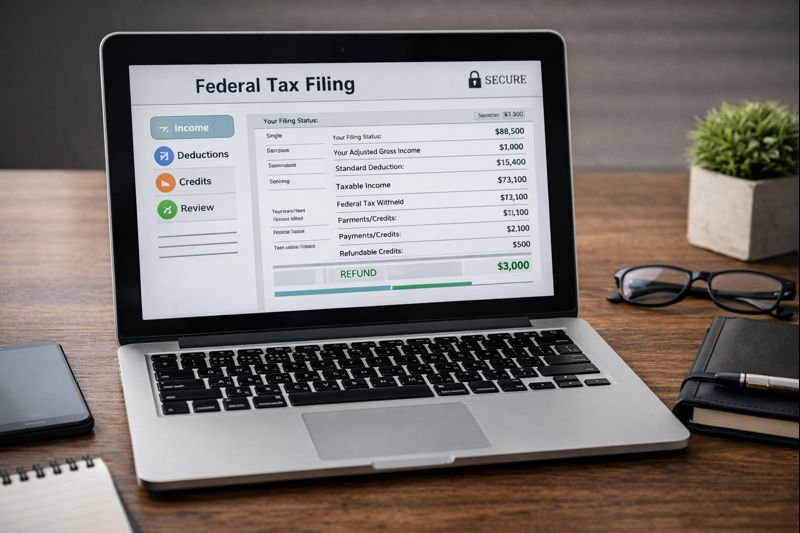
You can e-file your federal return using IRS-authorized platforms that connect directly to the IRS Modernized e-File (MeF) system.
Common IRS-Authorized Tax Software (2026)
| Software | Best For | Typical Federal Price* |
| TurboTax | W-2 filers, small businesses | $0 – $399 |
| TaxAct | Budget-conscious filers | $0 – $129 |
| FreeTaxUSA | Simple to moderate returns | $0 – $79 |
| H&R Block Online | Mixed income types | $0 – $399 |
*Prices based on 2025–2026 filing season ranges; add-ons increase cost.
All platforms:
- Submit returns electronically
- Run basic error checks
- Provide IRS acceptance confirmation (usually within 24–48 hours)
What they do not do: verify strategy, assess audit exposure, or question whether something should be done.
2. What are the best apps for tracking federal income tax deductions?
From a CPA’s perspective, deduction apps are record-keeping tools—not tax decision tools.
Commonly Used Expense & Deduction Apps
| App | Best Use Case | Cost Range |
| QuickBooks Online | Small businesses, freelancers | $30–$200/month |
| Expensify | Receipt tracking & reimbursements | $5–$25/user/month |
| MileIQ | Mileage tracking | $6–$12/month |
| Wave | Very small businesses | Free (paid add-ons) |
These apps help document expenses. They do not determine:
- Whether an expense is deductible
- Whether it’s ordinary and necessary
- Whether it increases audit risk
That judgment still belongs to the taxpayer—and their CPA.
3. Where can I find top-rated federal income tax preparation services near me?
Use sources that verify credentials, not just reviews:
- IRS Directory of Federal Tax Return Preparers
- State CPA society directories
- Local CPA firms with year-round operations
Look for:
- CPA license (not just “tax preparer”)
- Year-round availability
- Experience with IRS notices and audits
If a preparer disappears after April 15, they are not a long-term solution.
4. What is the average cost of professional federal income tax filing services?
Here are realistic national CPA fee ranges based on return complexity:
| Return Type | Typical CPA Fee (Federal Only) |
| W-2 only | $300 – $500 |
| W-2 + investments | $500 – $800 |
| Freelancer / Schedule C | $700 – $1,200 |
| Business owner / multi-entity | $1,200+ |
Professional fees reflect:
- Liability assumed by the CPA
- Accuracy review
- Compliance responsibility
- Post-filing support if the IRS contacts you
Software is cheaper. Fixing mistakes is not.
5. How do I choose the right federal income tax software for freelancers?
Freelancers need software that supports:
- Schedule C
- Self-employment tax
- Quarterly estimated payments
- Depreciation (Section 179, bonus depreciation)
Software vs. CPA: Which Filing Approach Fits Your Situation?
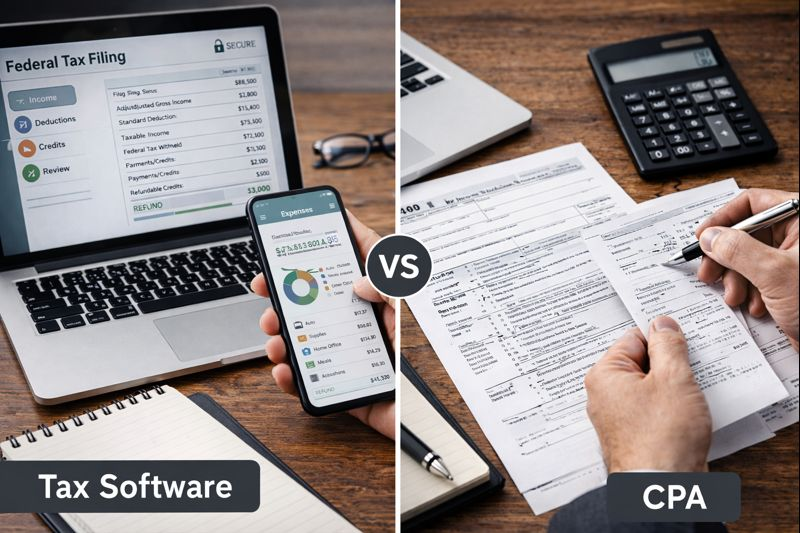
| Situation | Tax Software Is Usually Sufficient | Professional CPA Review Is Typically Needed |
| Income type | Single W-2, limited interest income | Self-employment, business, or mixed income |
| Annual income | Under ~$75,000 with simple filing | Higher income or multiple income streams |
| Deductions | Standard deduction only | Itemized, business, or complex deductions |
| Business activity | None | Schedule C, partnerships, or corporations |
| Investments | Basic bank interest | Stock sales, crypto, or multiple 1099s |
| Prior IRS notices | None | Prior IRS letters, corrections, or audits |
| Comfort with tax rules | High confidence | Uncertainty about classification or compliance |
| Goal | File correctly for this year | File correctly and reduce future risk |
Key clarification:
This is not about intelligence or capability. It’s about complexity and exposure. The moment judgment matters more than data entry, software reaches its limit.
6. Can I e-file my federal income tax return through an online platform?
Yes. The IRS strongly prefers e-filed returns.
Key 2026 Filing Deadlines (Projected)
| Item | Deadline |
| Individual return (Form 1040) | April 15, 2026 |
| Extension request (Form 4868) | April 15, 2026 |
| Extended filing deadline | October 15, 2026 |
An extension gives more time to file, not to pay.
7. What are the advantages of using cloud-based federal income tax filing tools?
Cloud platforms allow:
- Multi-device access
- Secure document storage
- Easier CPA collaboration
- Prior-year data carryforward
However, cloud access does not equal cloud judgment.
Incorrect assumptions scale just as easily as correct ones.
8. Which online services offer free federal income tax filing for low-income earners?
IRS Free File (Projected 2026)
- Income eligibility (2025): ~$79,000 AGI
- 2026 threshold expected to adjust slightly for inflation
- Available at IRS Free File portal
VITA (Volunteer Income Tax Assistance)
- Typically for taxpayers earning $60,000 or less
- Seniors, disabled taxpayers, and limited-English filers qualify
- IRS-trained volunteers, not CPAs
Free is appropriate when returns are simple. Complexity removes margin for error.
9. How do I import W-2 data into federal income tax filing software?
Most platforms support:
- PDF upload
- Payroll provider import (ADP, Paychex, Gusto)
- Manual EIN-based entry
CPA reminder:
Imported data still requires review. The IRS holds you, not the software, responsible.
10. What customer support options do top federal income tax software companies provide?
| Support Type | Usually Included? |
| Knowledge base | Yes |
| Live chat | Sometimes |
| Phone support | Paid tiers |
| CPA/EA review | Extra cost |
Software support helps you use the software.
It does not represent you if the IRS disagrees.
2026 Standard Deduction
Based on inflation adjustments from 2025 figures:
| Filing Status | Estimated 2026 Deduction* |
| Single | ~$15,000 |
| Married Filing Jointly | ~$30,000 |
| Head of Household | ~$22,500 |
*Final figures will be published by the IRS.
Final Thought

Tax software is a reporting tool. Nothing more.
It does not:
- Ask why something was deducted
- Warn you when risk outweighs benefit
- Defend you when the IRS asks questions
- Plan for future years
If your tax situation involves business income, investments, growth, or complexity, the most expensive mistake is assuming software replaces professional judgment.
The IRS doesn’t audit software.
They audit taxpayers.
And that’s where a CPA still matters.